
Write by hand. Study smarter. Find everything.
NG Notes turns your Android tablet or phone into an endless notebook: pressure-sensitive stylus writing, annotatable PDFs, flashcards, recordings and Fixh AI that summarises and explains your notes.
- 30 days free, no card
- One-time payment
- Data stays on your device
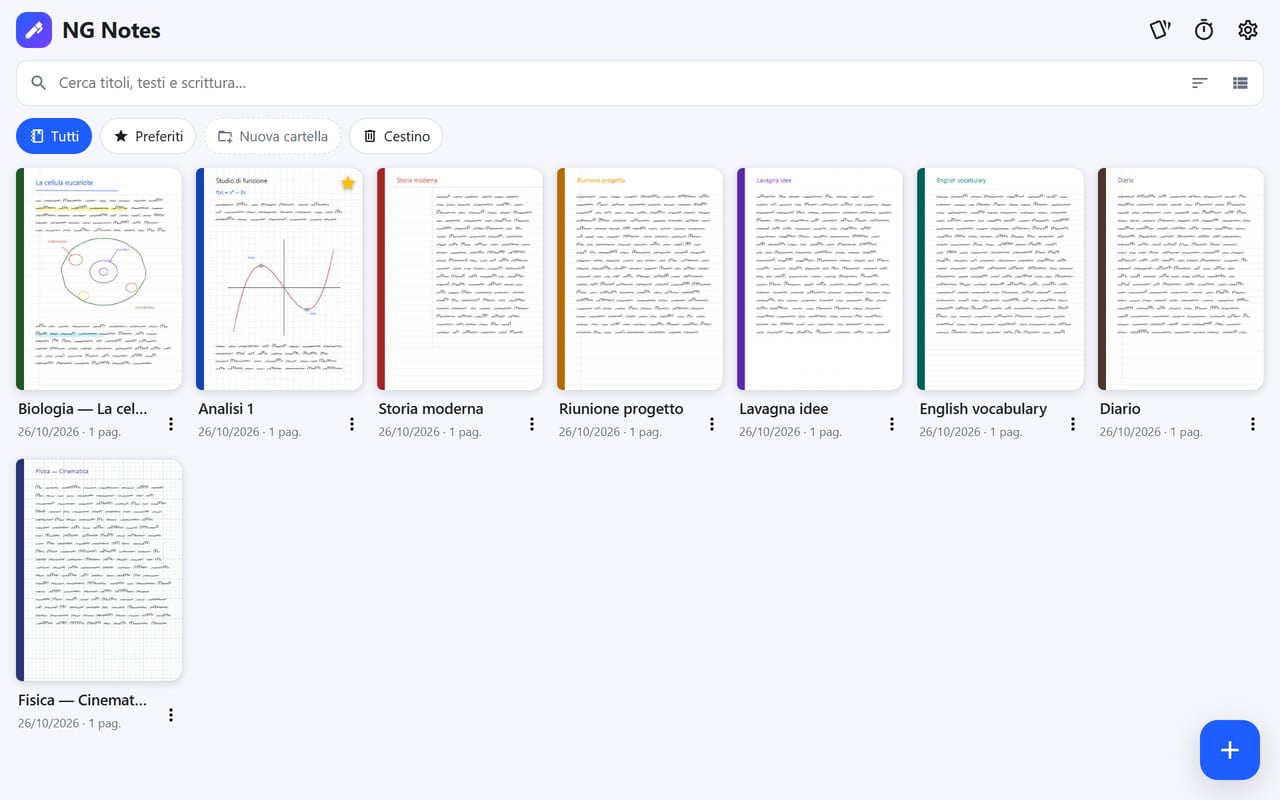
Everything your notes need
From lecture to exam, from meeting to project: one place to write, draw, annotate and review.
Natural writing
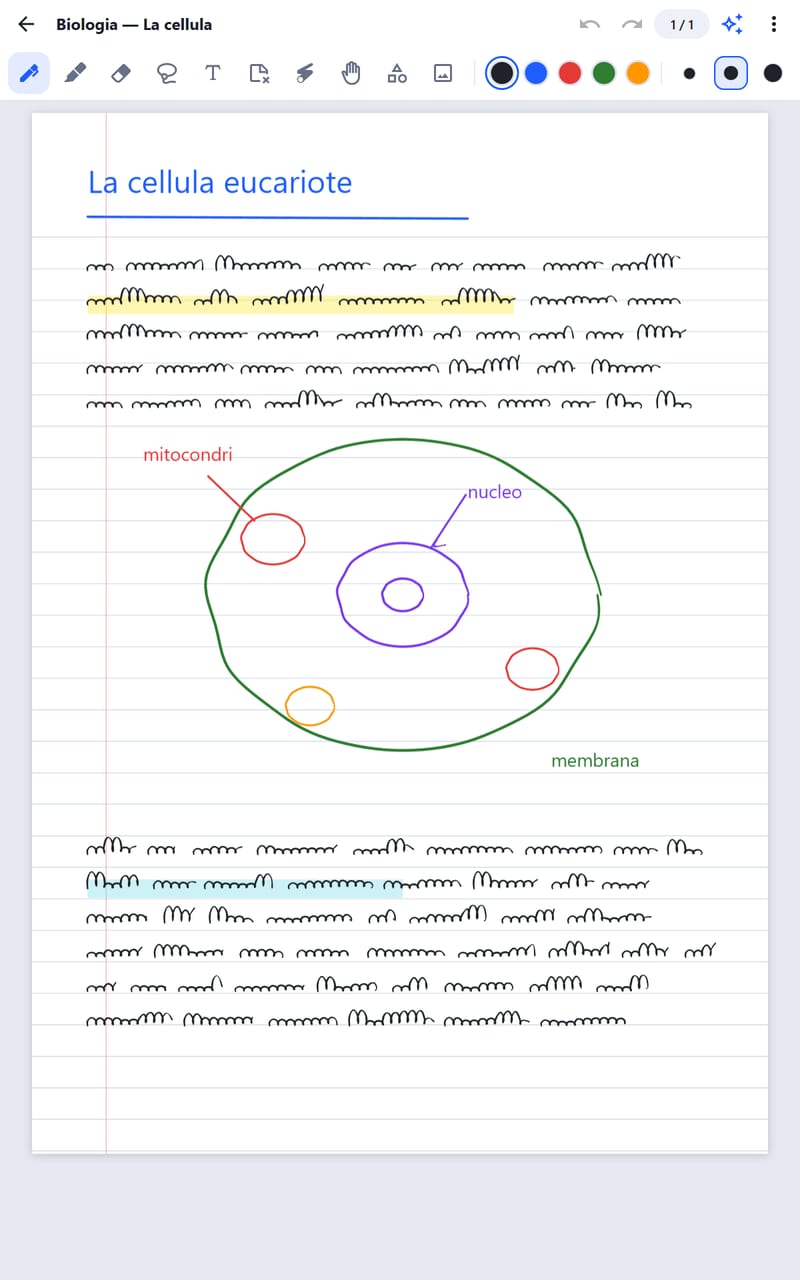
Ballpoint, fountain pen, brush, pencil and highlighter with pressure, smoothing and stylus-only mode.
Annotatable PDFs
Import handouts and books, write on them, add pages and export back to PDF.
Fixh AI
Summaries, explanations, quizzes, grammar checks and step-by-step solutions from your notes.
Smart flashcards
Create cards with the lasso and review with spaced repetition.
Recordings
Record the lecture while you write, with live transcription.
Perfect shapes
Hold at the end of a stroke: circles, arrows and rectangles snap into shape.
Layers and versions
Keep sketches and text on separate layers and go back to any earlier version.
Split screen
Put two notebooks, or a PDF and your notes, side by side.
Handwriting search
Find words even in handwritten notes and PDFs.
Bookmarks and links
Outline, bookmarks and links between pages and to websites.
PIN lock
Protect your notebooks whenever the app goes to the background.
Full backup
Export everything to one file and restore it on another device.


From lecture to exam, without missing a thing
Take notes on the handout, record the explanation and let Fixh AI prepare your review questions.
- Notes right on top of your professor’s PDFs
- Flashcards and quizzes generated from your notes
- Pomodoro timer for study sessions
- Cornell, lined, grid and music paper templates


Meetings, projects and ideas in one notebook
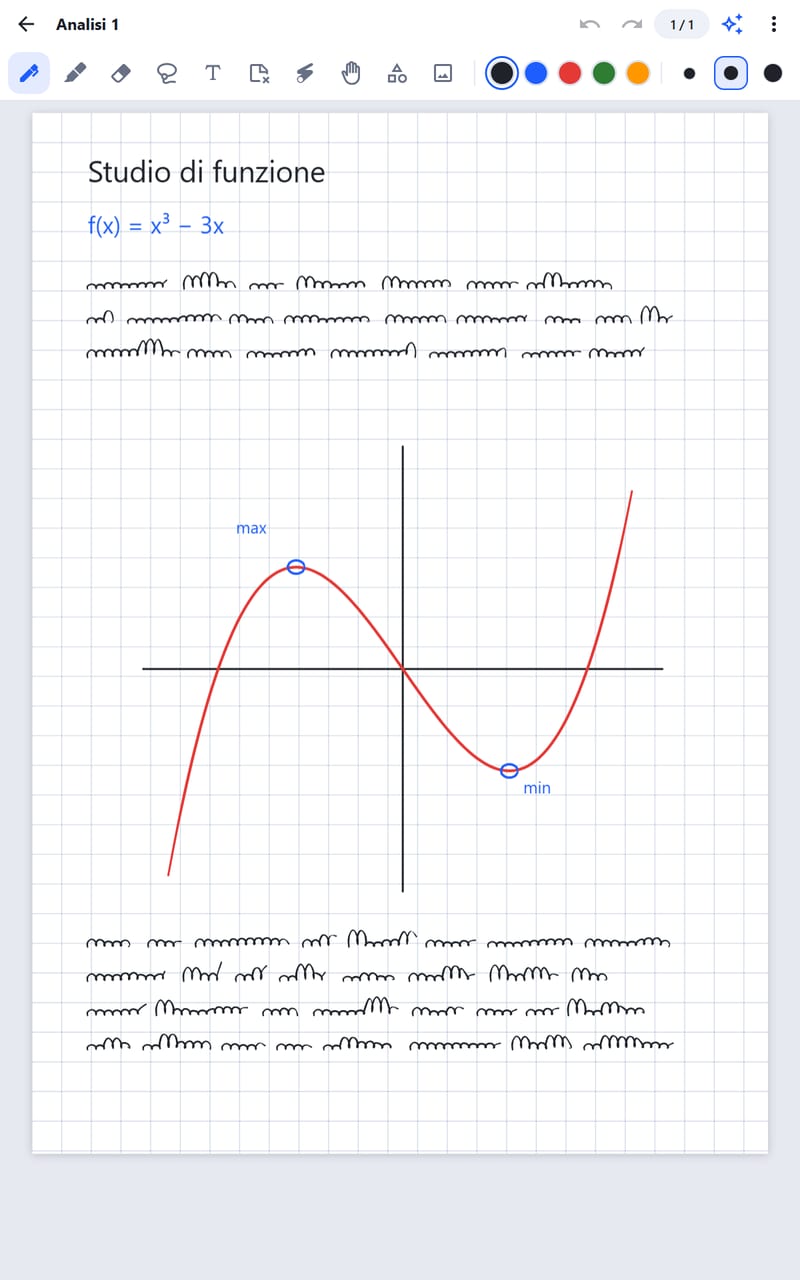
An infinite whiteboard for brainstorming, precise sketches with the technical pen, and PDFs signed and commented in a few taps.
- Infinite whiteboard, no space limits
- Technical pen and ruler for precise sketches
- Images, videos and stickers on your pages
- Export to PDF and PNG to share
Simple to use, powerful when you need it
How it works
Try everything for free, then activate your license: one code, one device at a time, always transferable.
 1
1Download and try
Install the app: you get 30 days with every feature, no sign-up needed.
 2
2Get your code
Buy it here with PayPal or ask Aurora for it on WhatsApp.
 3
3Activate the app
Enter the code in NG Notes: the license is linked to your device.
 4
4Switch devices
Unlink it from the app or from your account, then activate it on the new device.
Simple pricing
No subscription. Try it free, and if you like it, pay just once.
Free trial
- Every feature unlocked
- No sign-up or card required
- Your notes stay after the trial
Lifetime license
- Valid forever, no renewals
- Active on one device at a time
- Transferable when you change device
- Future updates included
Frequently asked questions
How does the free trial work?
On first launch NG Notes starts a 30-day trial with every feature. No sign-up or card needed.
What happens when the trial ends?
The app asks for a license code. Your notebooks are never deleted: as soon as you activate the license they are all there.
On how many devices can I use the license?
A license is active on one device at a time. If you try to activate it on a second device while it is still linked to the first one, the activation is refused.
I got a new tablet: how do I move my license?
On the old device open Settings → License → Unlink, or sign in to your account and press “Unlink”. Then enter the code on the new device. From your account you can unlink up to 3 times every 30 days.
Who is Aurora?
Aurora is our WhatsApp assistant: she answers questions about the app and can generate your license code right in the chat.
How do I get updates?
NG Notes checks for new versions by itself and offers the update: one tap to download and install it. You can also download the latest version from this site.
Where are my notes stored?
Only on your device. The license server only receives an anonymous device identifier and the device model name.
Is Fixh AI included?
Yes, Fixh AI features are part of the app: you just need a free Gemini key, entered in the settings.
Your next notebook is digital
Download NG Notes and use it free for 30 days. No subscription, no surprises.